for(i in 1:nrow(df)) {
  df$new_value[i] <- df$value\[i\] \* 2
}Small R Tricks That Make AI-Generated Code Better
Turning verbose scripts into cleaner R workflows
workflows
coding
ai
R-Hacks N.10
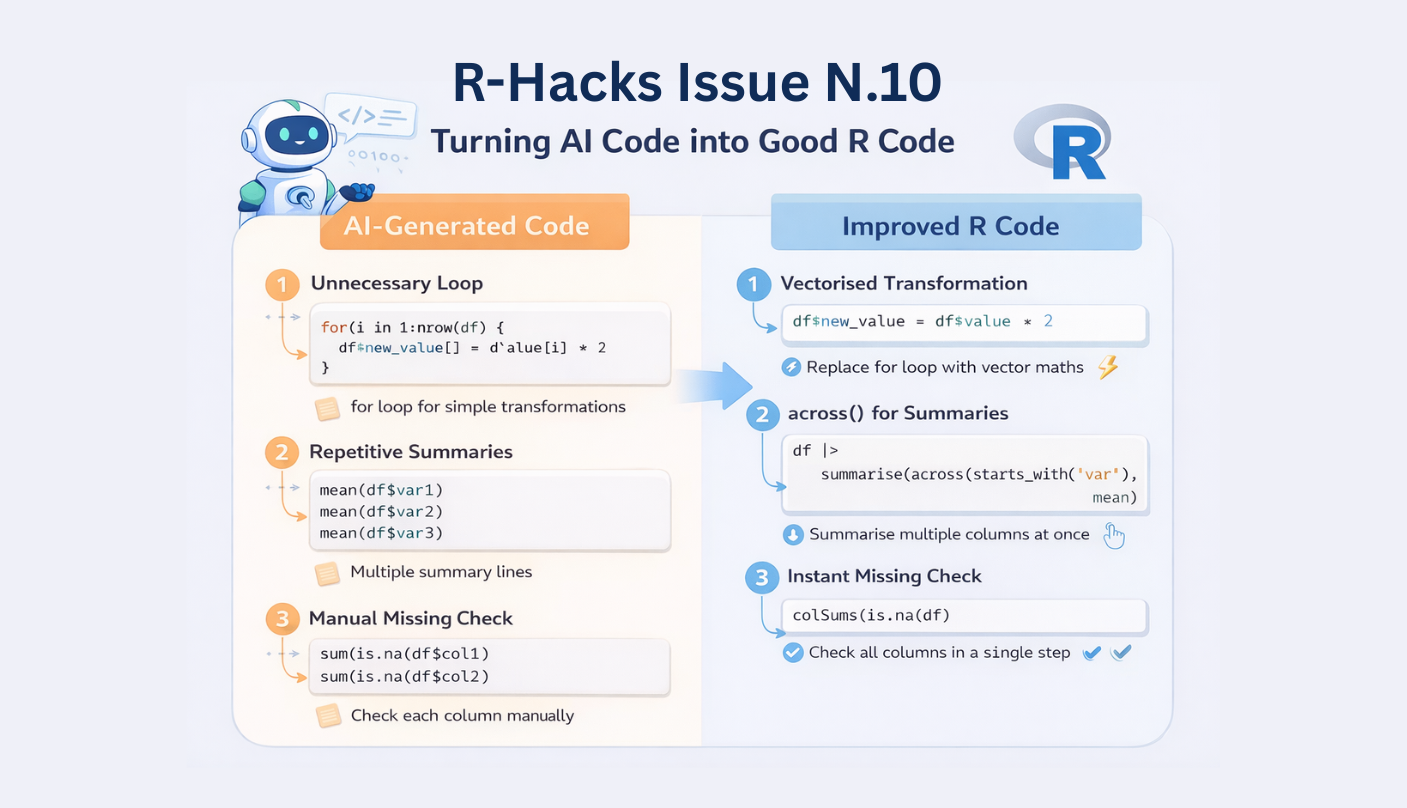
AI tools can now generate R code in seconds.
Describe a task and a full script appears. For many analysts, this is quickly becoming part of the normal workflow.
Note
The first version of AI-generated code usually works, but it is often verbose, repetitive, or not very idiomatic.
Just small improvements can turn that code into something clearer, shorter, and easier to maintain.
This issue of R-Hacks highlights a few compact patterns that experienced R users apply almost automatically. They are not advanced tricks, just small habits that help refine AI-generated scripts quickly.
1️⃣ Replace Loops with Vectorised Operations
AI tools sometimes produce loops for simple transformations.
In R, this can usually be written in a vectorised way:
df$new_value <- df$value \* 2Vectorised operations are:
- faster
- easier to read
- less error-prone
They also reflect how R was designed to work with data.
2️⃣ Replace Repetitive Summaries with across()
AI code often repeats the same operation across multiple variables.
A more compact approach:
df |> summarise(
  across(starts_with("var"),
  mean, na.rm = TRUE)
  )
This pattern:
- reduces repetition
- keeps scripts shorter
- scales easily to many variables
3️⃣ Check Missing Values Instantly
AI rarely checks data quality unless explicitly asked.
A quick diagnostic:
This immediately reveals:
- which columns contain missing values
- how many observations are affected
- where cleaning may be needed
It is a simple check that prevents many downstream issues.
4️⃣ Verify Transformations with Quick Size Checks
After filtering or joins, it is good practice to confirm how the dataset changed.
dim(df)or
nrow(df)
Tip
Small checks like these help detect unexpected row losses or accidental duplications.
Adding them after major transformations can prevent silent mistakes.
5️⃣ Use Sampling for Faster Testing
When experimenting with code, running everything on a large dataset can slow iteration.
Instead, work on a small sample first:
df_small <- df |> slice_sample(n = 1000)This allows you to:
- test transformations quickly
- debug pipelines faster
- iterate more efficiently
Once the logic works, apply it to the full dataset.
Why These Tricks Matter
AI tools are very good at producing working code.
But experienced users recognise patterns that make scripts cleaner and more idiomatic.
These small improvements help you:
- simplify generated code
- reduce repetition
- keep workflows easier to maintain
They also reinforce a useful principle:
Note
AI can generate code quickly.
Understanding your tools helps you improve that code immediately.
In Short
- AI-generated code often works but can be verbose
- Vectorised operations simplify many tasks
-
across()reduces repetitive summaries - Quick checks reveal missing data or unexpected changes
- Sampling helps test transformations faster
Small habits like these can dramatically improve everyday R workflows.
Tip
If you want to stay up to date with the latest events and posts from the Rome R Users Group: